
Polish your emails with AI
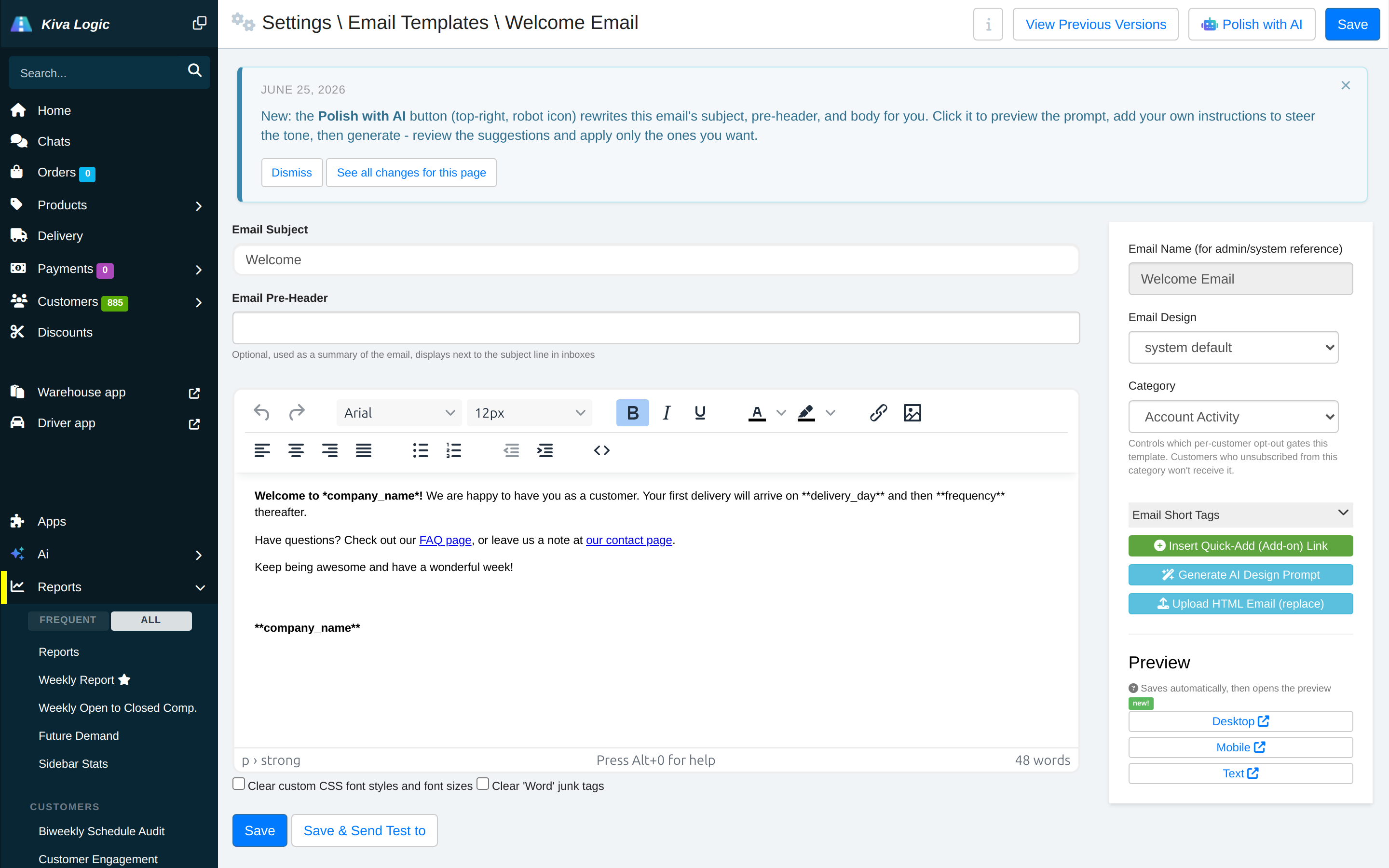
Every email template in your account now has a Polish with AI button at the top. Click it on any template and the AI rewrites the subject line, pre-header, and body for you, keeping your merge tags like **first_name** intact.
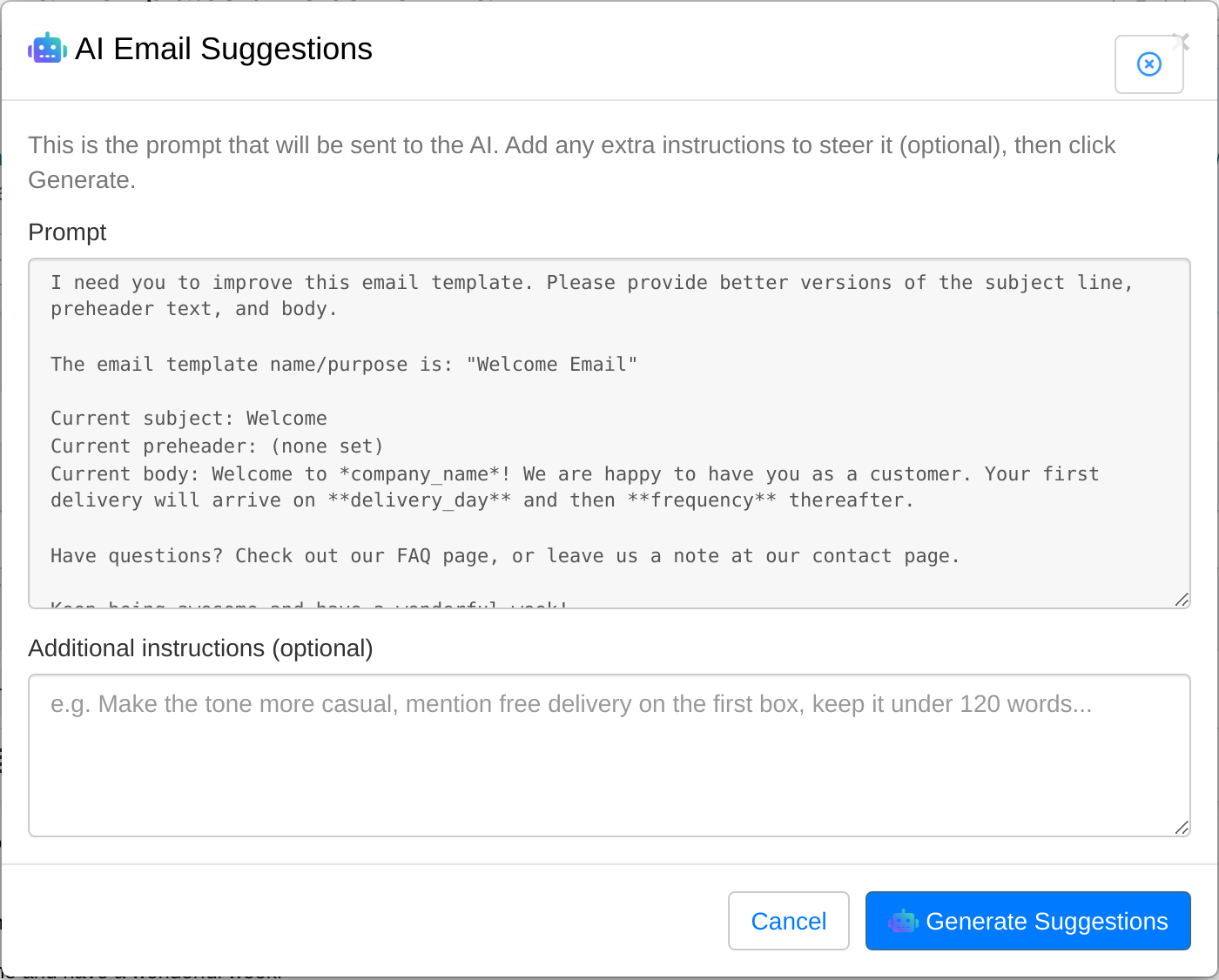
It is not a black box though. When you click it, you first see the exact prompt that is about to go to the AI, plus a box where you can add your own instructions to steer it, things like "make the tone warmer" or "keep it under 100 words" or "mention free delivery on the first box." Add whatever you want, or nothing at all, then hit Generate.
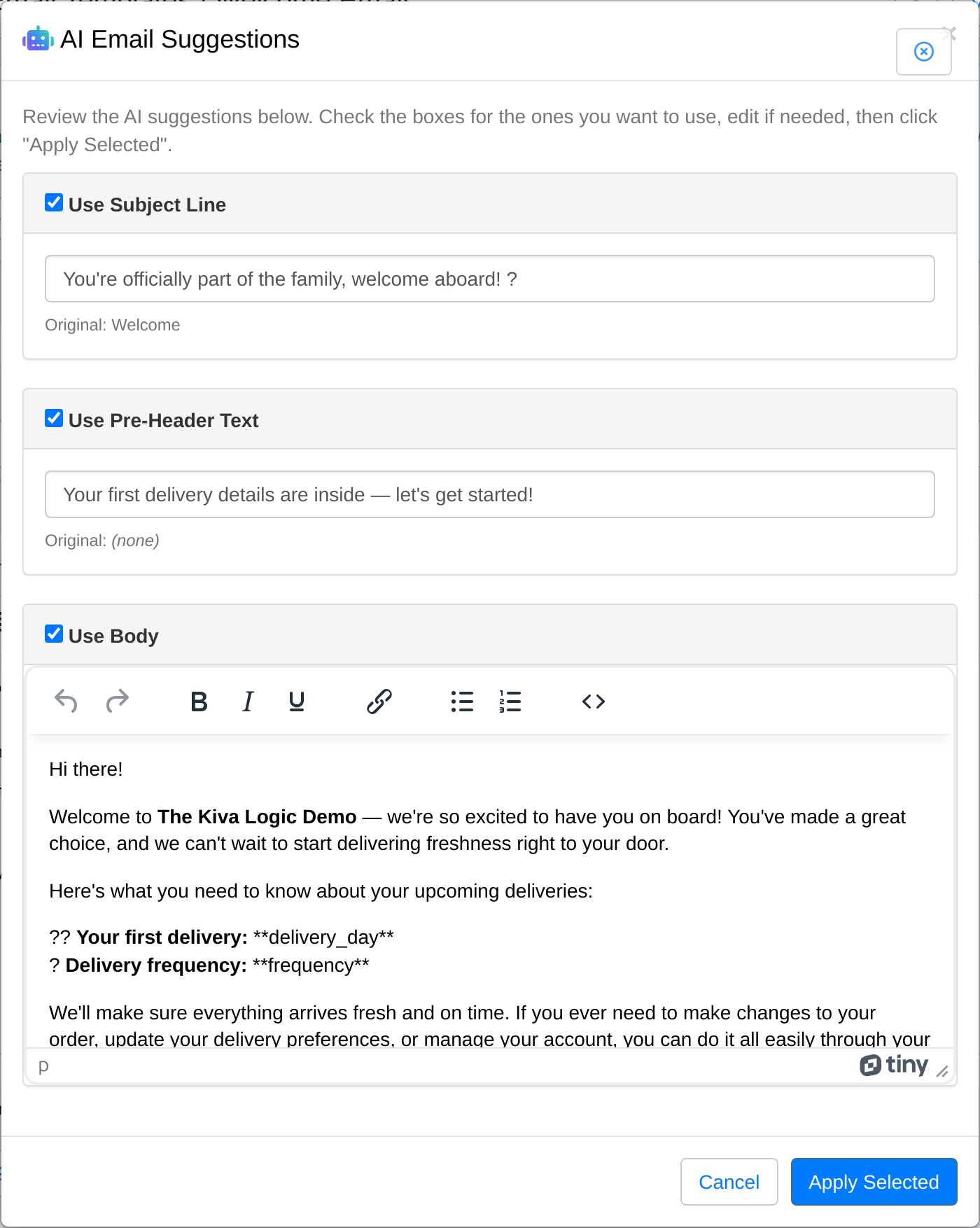
You get back suggestions for the subject, pre-header, and body, each with a checkbox. Review them, tweak anything right there, and apply only the pieces you like. Nothing changes until you say so, and your previous version is saved to revisions first, so you can never lose your original.
While I was in there I also taught the Generate AI Design Prompt tool about your branding. It now pulls in your site colors, fonts, and logo automatically, so when you design a custom HTML email it comes back looking like your store instead of a generic template.
You will find both buttons at the top of any email template under Settings → Email Templates. Give it a try and let me know what you think!