
Free Route Optimization?!? YES*
Route optimization is one of those things that usually costs a fortune, or comes bundled into some pricey logistics add-on. Not here. Your store can now optimize delivery routes right inside the admin, for free.*
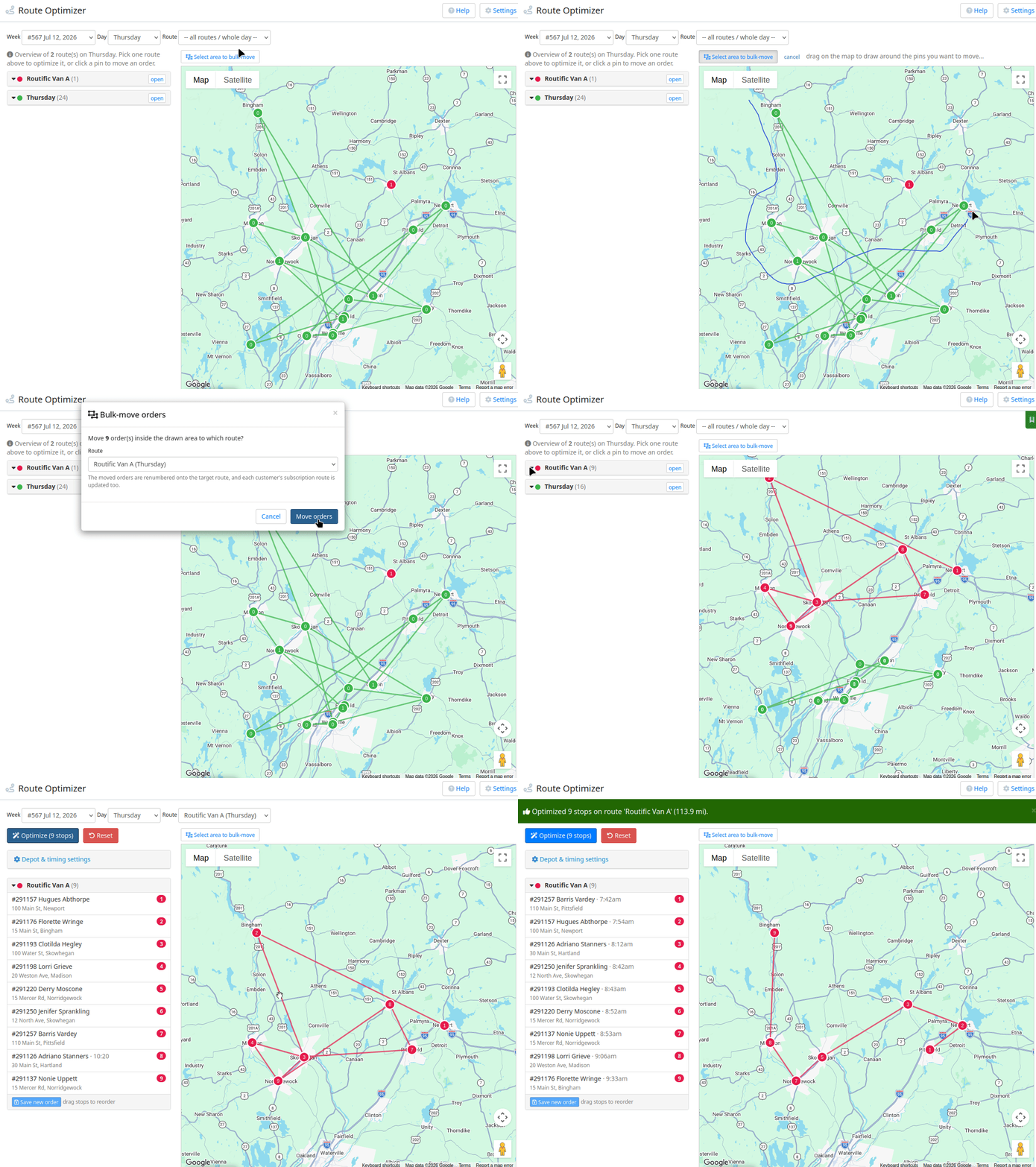
Head to Delivery → Route Optimizer, pick a week and a day, and the whole day shows up on a map with every route in its own color. Choose a single route, hit optimize, and it sequences the stops for you and drops the driving order right back onto the orders.
The part that's genuinely fun is that you can draw. Click Select area, lasso a group of pins on the map, and drop them all onto another route in one shot. You can also click any pin to change its route or stop number, or just drag stops around in the list to reorder them by hand.
Now the asterisk, because "free" always has one. This runs on OpenRouteService, and you bring your own free API key. Takes about a minute to grab one at openrouteservice.org, and the Route Optimizer tells you right where to paste it. Their free tier is plenty for optimizing one route at a time, which covers most days. If you want to optimize a whole day across several trucks at once, the free tier caps you around 3 vehicles, so bigger fleets either split the day up or move to a paid key. Either way, there's no route optimization fee from us.
It's built to plug in other engines later too, so if you already pay for something like GraphHopper or Routific, those can slot in down the road. For now, grab a free key and give it a try on this week's routes.