
Customer Reviews and Ratings, Now With Photos and Video
Shoppers trust other shoppers. Before someone orders their first box or adds a new item to the cart, the first thing they look for is what everyone else thought. If your store can't show them, they go looking somewhere that can.
Your store now has a complete reviews and ratings system built in. Customers leave star ratings, written reviews, and photos and video of what actually showed up at their door. It runs on the products and boxes you already sell, moderates itself with AI, and is included. No Yotpo, no third-party widget, no extra bill.
Here is every part of it, and how to turn it on.
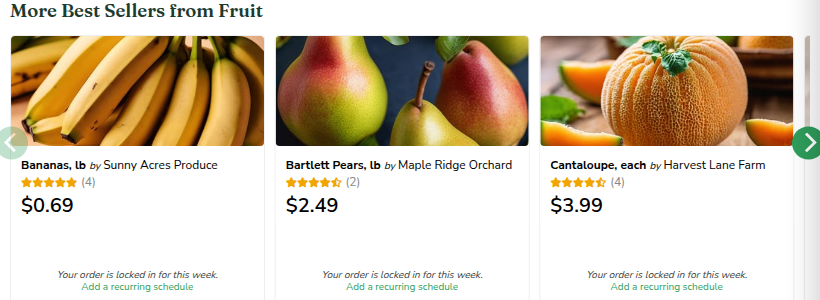
Stars show up everywhere a shopper decides
The moment a review is approved, its rating rolls into the averages that show on your storefront. Shoppers see the stars right where they are making up their mind:
- On product cards in the shop grid and sales rows
- On the product page, next to the name and price
- On boxes at signup, so a new customer sees the box is loved before they commit
You decide how many reviews a product needs before its stars appear, so a single lonely five-star never reads as the whole story.
Reviews with real photos and video
A written review is good. A photo of the actual box on someone's counter is better. Customers can attach up to four photos and a short video to any review, and it shows in a clean gallery under their words, with a Verified Purchase badge they earned by actually buying the item.
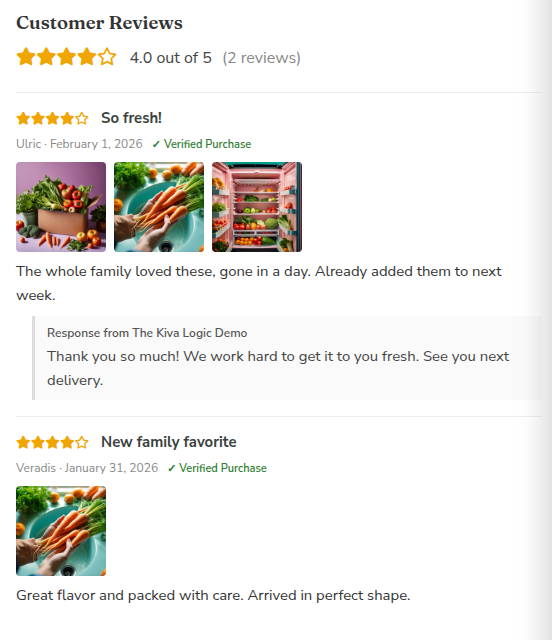
This is the part a stock photo cannot fake. When a shopper sees a real person's carrots, fresh out of the real box, that is the kind of proof that turns a maybe into an order.
Collecting reviews is effortless for your customer
Nobody fills out a long form. Leaving a review takes one tap. A few days after a delivery, your store can email the customer and ask. They tap a star right inside the email, land already signed in on the review page with their rating filled in, and add a photo if they feel like it.
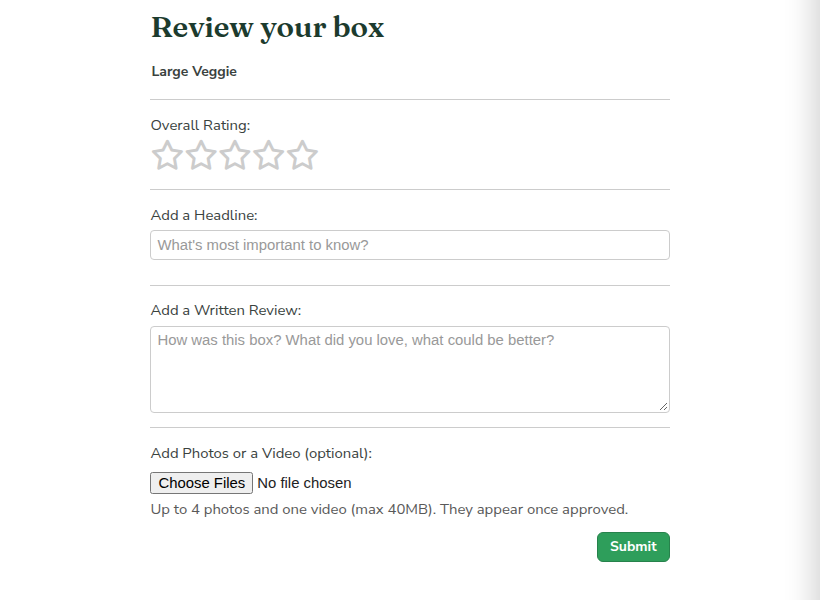
They can also review straight from their order history or their My Reviews page anytime. Every path lands in the same place.
The ask reaches customers where they already are
Your store asks at the moments a customer is already paying attention, and routes each one the smart way.
- The post-delivery email. A few days after a box lands, a one-tap star email goes out, sentiment-sorted so you skip anyone whose last box clearly disappointed them. That after-delivery timing is the whole point, which is why it is its own email and not bolted onto the receipt. The receipt goes out when the card is charged, before the box arrives, so asking there is asking someone to review food they have not received yet.
- The feedback popup. The quick thumbs-up or rating popup already on your store is a collection point too. When a customer answers happy, it offers them a "Review your items" button, and if you have linked your Google profile, a "Share on Google" button right there in the moment. An unhappy answer stays private and comes to you, never to a public page.
- Any email you already send. The star links are merge tags, so you can drop a review ask into other emails as well. The post-delivery one is the right moment for most stores, but the option is yours.
That last one, the popup pointing a happy customer to Google, quietly builds your public reputation while you sleep. The people most likely to leave a glowing Google review are the ones who just told you they are happy. This catches them at exactly that beat.
AI does the moderation so you don't have to
Opening the floodgates to customer photos and comments sounds like a moderation headache. It is not, because the first pass is automatic. The moment a review comes in, AI reads the words and looks at the photos:
- Clearly good reviews publish on their own, instantly
- Spam, abuse, or anything off-topic gets held or blocked
- Anything it is unsure about, and every video, waits for you
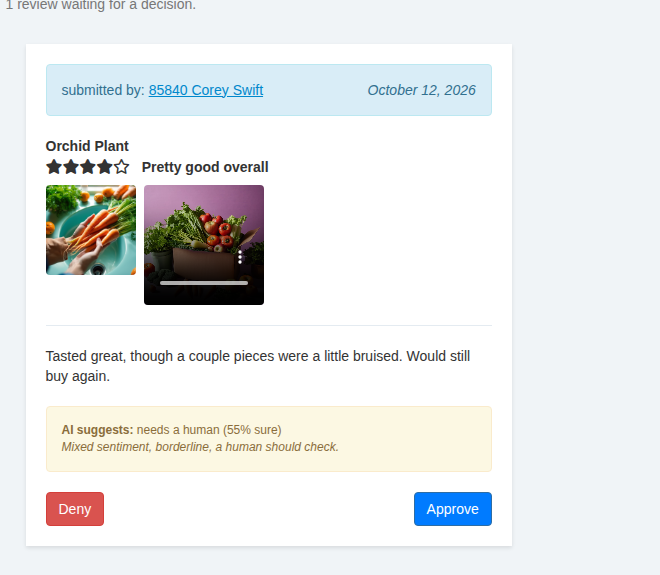
A critical, honest review still goes through. The AI only blocks things that break the rules, like spam or abuse. An unhappy customer's real feedback does not break any rule, so it publishes and stays, and that honesty is worth more to you than a wall of fives.
You stay in control
Every piece has a switch, and all of it lives on one Review Approval page.
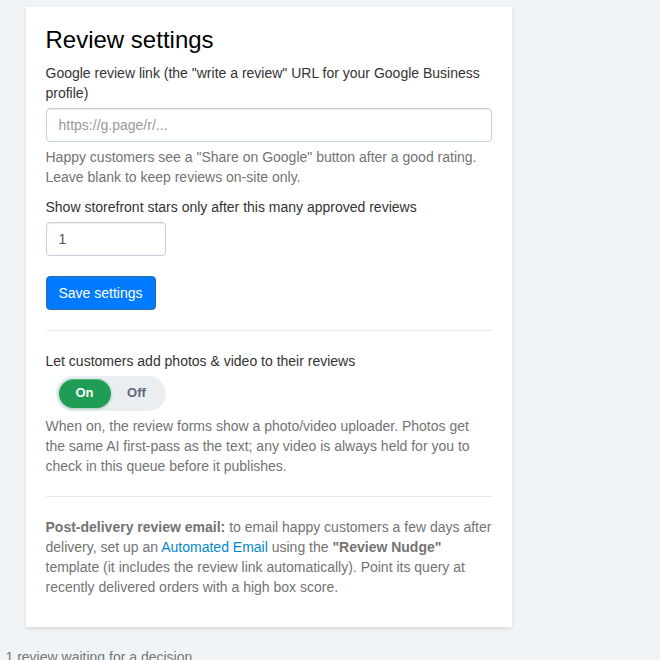
- Reply publicly under any review. A gracious answer to a complaint often sells better than the complaint hurts.
- Send happy customers to Google. After a great rating, a shopper can be pointed to your Google Business page to say it there too, where it helps you get found.
- Flip photos and video off if you would rather keep reviews text-only. Your call, per store.
Shoppers can ask before they buy
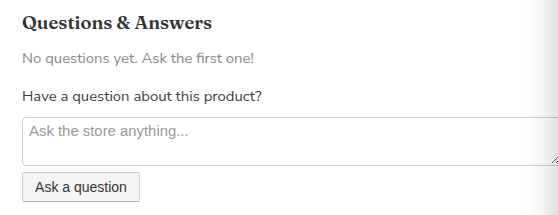
Reviews come with a Questions & Answers section on every product. A shopper asks "is this organic?" or "how do I store it?", you answer once, and the answer stays on the page for the next hundred shoppers who wondered the same thing.
It works for you in Google, too
Your star ratings and questions are marked up the way Google likes, so your products become eligible for the rich results with the little gold stars right in the search listing. Those stars pull clicks away from competitors who do not have them, and you did nothing extra to earn the placement beyond collecting honest reviews.
Turning it on
It is a few clicks, and you can do it today:
- Open Review Approval in your admin and flip reviews on.
- Decide whether to allow photos and video, and whether to point happy shoppers to Google.
- Set up the post-delivery review email so the asks go out on their own.
That is it. The stars start showing the moment your first reviews are approved.
Already running a Kiva Logic store? These tools are in your admin now. Not with us yet, and want your store to collect social proof this cleanly from day one? That is the kind of thing we build in.