
Build your content pages with Claude Code (early access)
Your content pages, home page, How It Works, landing pages, all of it, can now be built and edited just by chatting with an AI. Connect Claude Code to your store's Page Builder and tell it what you want in plain English: "update my How It Works page," "build a landing page for the fall promo," "write me an About Us page about our local farms." It makes the changes right in your page builder. No HTML, no design tools, no waiting on anyone.

You ask, it does the work, then hands you a draft to review. It's upfront about what's real and what's a placeholder, and it won't publish or change anything on your live site until you say so.
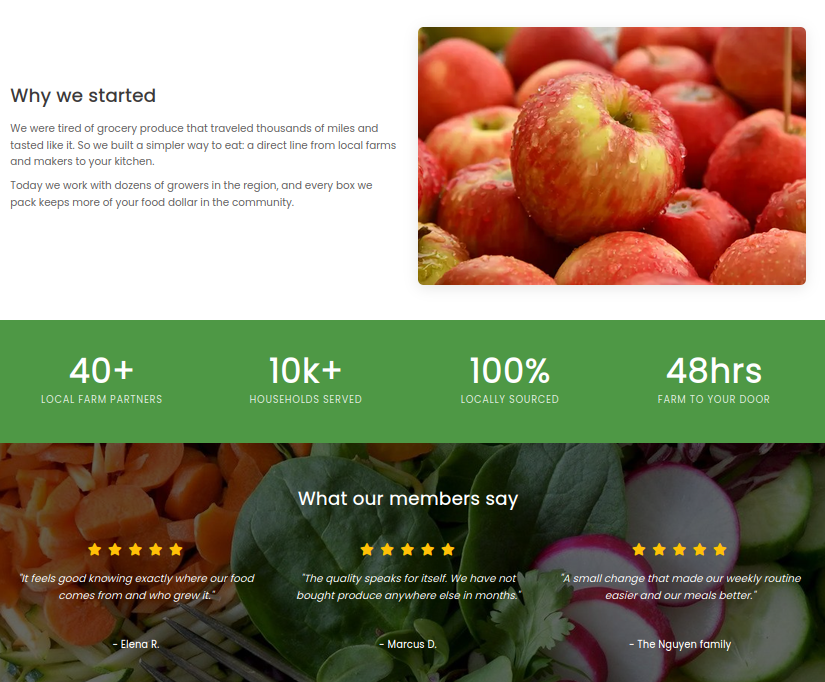
Pages come out looking like this, images and all. It only touches page content, it can't see or change your customers, orders, or payments, and new pages start as unpublished drafts. No images? It drops in tasteful stock photos so you never get a blank grey box. Every change is logged to your admin account, so you always know what changed.
Turning it on takes about a minute. Head to Page Builder, then Connect Claude Code, generate a key, and paste the one command it gives you into Claude Code. From there you just chat.

This one is brand new and still a little rough in spots, so poke at it and tell us where it snags. Easiest way to send feedback: just tell Claude Code itself what's confusing or missing, and it passes your note straight to us.