
Kiva Logic Blog
Updates, tips, and news from our team
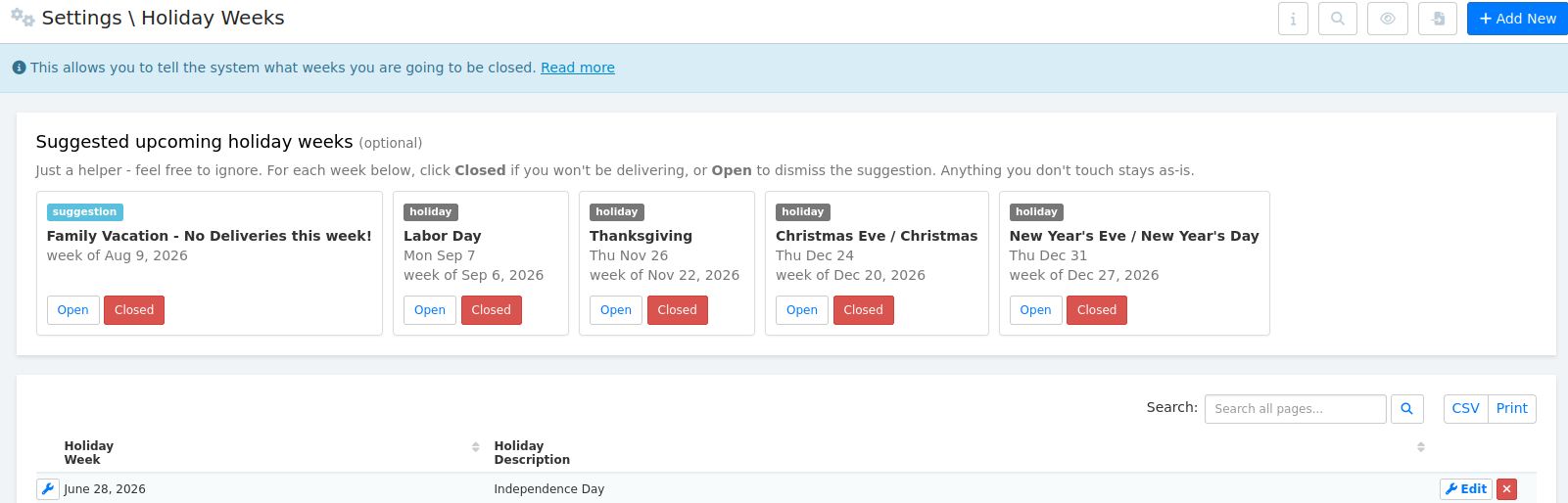
Holiday Weeks page just got smarter (and the bugs are fixed)
Quick heads up about an under-the-radar admin page that just got friendlier, in case you didn't even know it existed.
Holiday Weeks (under Settings → Holiday Weeks) is where you tell the system which weeks you won't be delivering. Christmas week, Thanksgiving, July 4th, the random week you close every August for the state fair, whatever. Once a week is marked, the system skips order creation for that week, the calendar shows it as closed, and customers don't get charged or confused.
The page has been around for years but it was easy to forget about... and the date picker had some quirks that made adding a new week kind of annoying. Both of those got fixed this week.
AI Marketing Campaigns (back, on-demand)
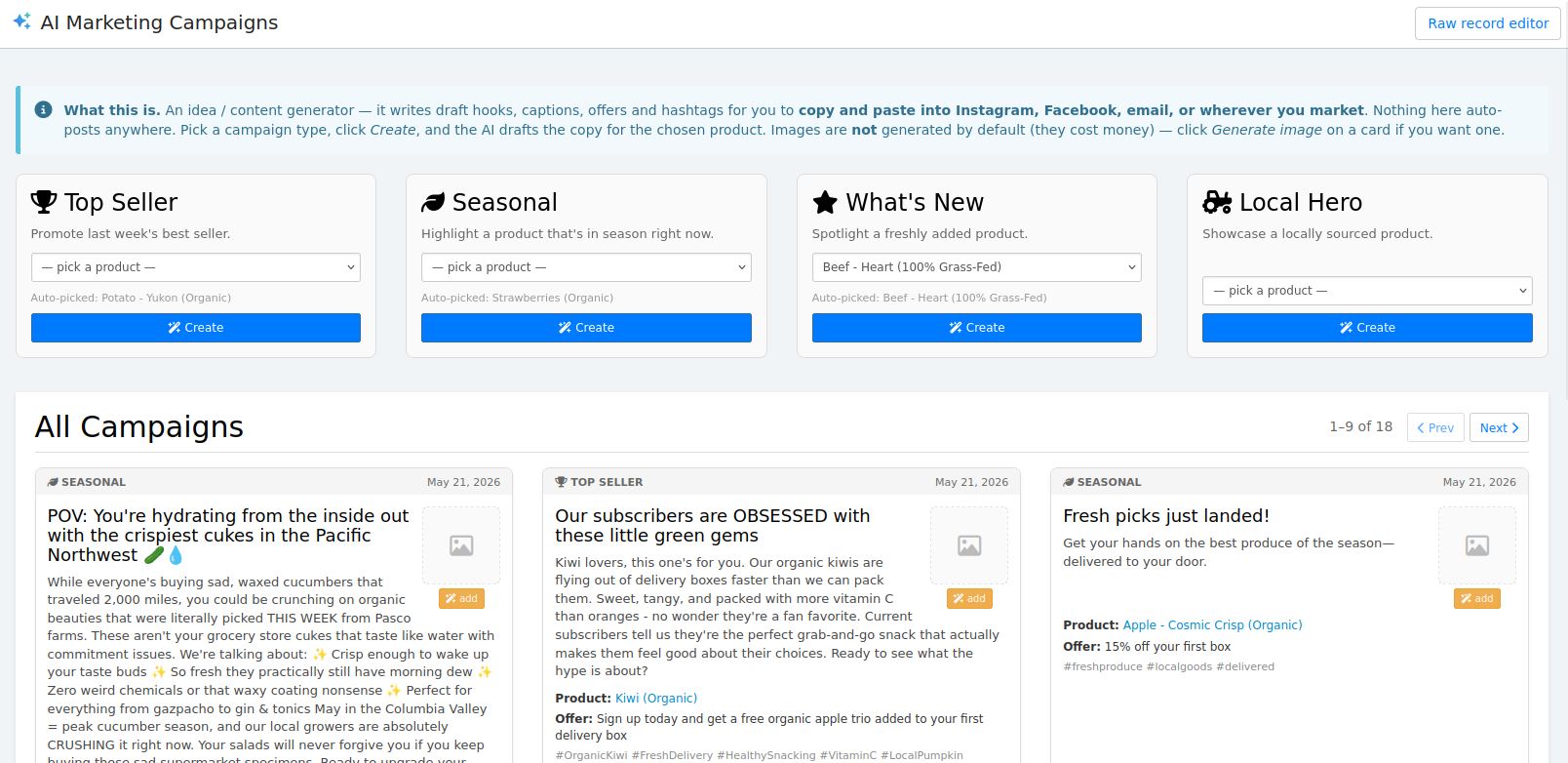
The AI Marketing Campaigns feature is back, and this time it's on demand. Find it under AI → Recommendations → AI Marketing Campaigns.
The old version ran every day in the background and auto-generated stuff (including images) whether you wanted it or not, which got expensive fast and most of it went unused. This version flips that around. Nothing happens until you click. You pick a campaign type (Top Seller, Seasonal, What's New, or Local Hero), it auto-picks a product that makes sense (with a dropdown if you want to override), you hit Create, and the AI drafts a hook, caption, offer, and hashtags you can copy and paste into Instagram, Facebook, email, or wherever you market.
Nothing auto-posts anywhere. It's purely a content/ideas generator for you to use elsewhere.
AI Product Suggestions
Just shipped this one and pretty stoked about it. The AI now reviews your products in the background and proposes upgrades... descriptions, names, tags, shop filters, SEO, brand/vendor. You just review and approve. No more staring at a blank textarea trying to write product copy from scratch.
It runs on its own, picks a product, looks at it (images and all), and suggests improvements. Up to 12 products queue up at a time waiting for your review. Once you start working through them, more get generated. If you ignore it for a while, it pauses itself so the queue doesn't get out of hand.
For each suggestion you've got three options:
There's also Approve Remaining and Deny Remaining bulk buttons that only run on the suggestions you haven't already touched, so your one-off decisions stick. And it skips products synced from Lightspeed and product option variants... Lightspeed is canonical for those and we shouldn't be overwriting it from here.
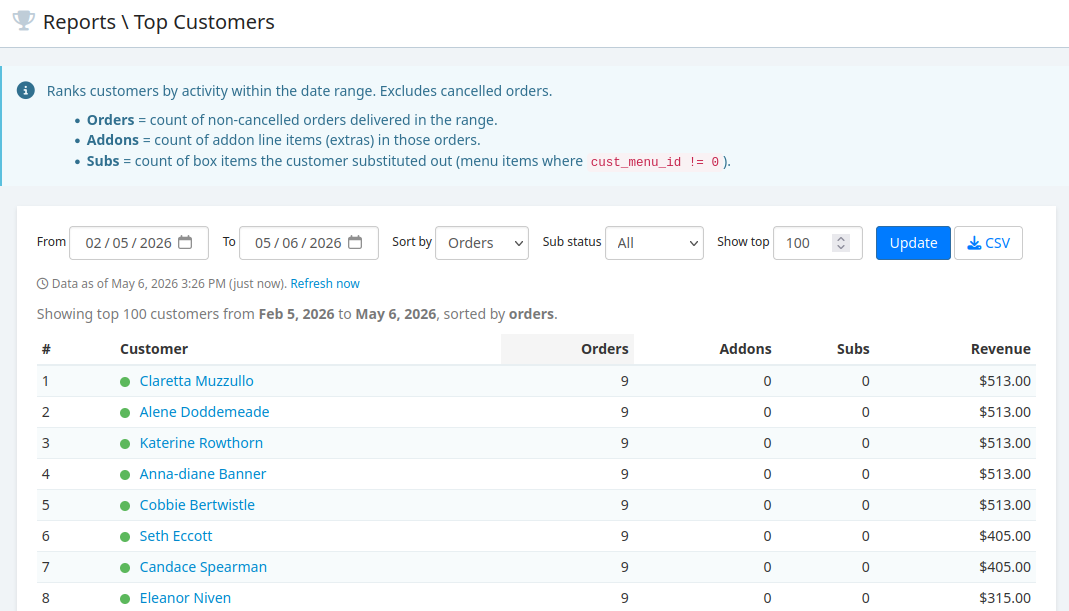
Kiva Logic: Seasonality of Products report and... do you know who your best customers are? You can now!
We have a new report called Top Customers that will tell you exactly who has spent the most money, who has purchased the most addons, made the most subs, or received the most orders. You can filter for timeframe.
With this info, you can identify who are your absolute rockstar (hello 2010s vernacular) customers are- ask them for feedback, hand-deliver their order, send them personalized thank you emails, write a personal note, call them up, write them a letter, what you do is up to you!
Seasonality Report